Minimalist Business Card Design: Template and Details
In today’s fast-paced world, first impressions matter more than ever. A well-designed business card can be the difference between standing out and blending in. Minimalist business cards have gained popularity for their clean, modern aesthetic that communicates professionalism and clarity. This article explores the concept of minimalist business card design, its benefits, and how to create one using a downloadable template.
What Is Minimalist Business Card Design?
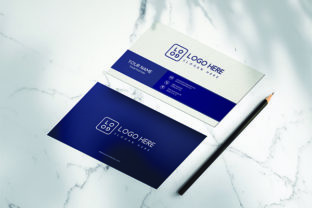
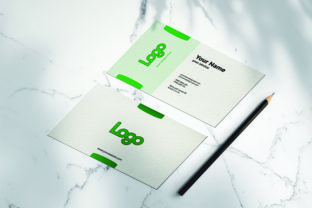
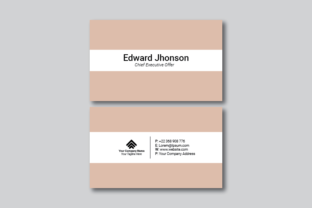
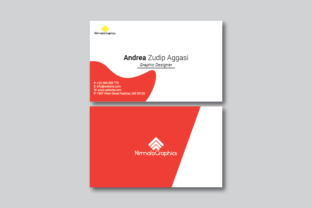
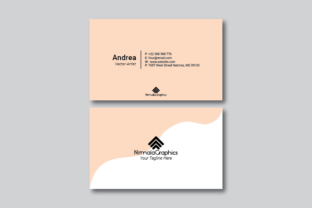
Minimalist business card design focuses on simplicity and functionality. It uses a limited color palette, clean typography, and ample white space to highlight essential information. Unlike traditional business cards that are often cluttered with logos, text, and graphics, minimalist designs prioritize readability and visual balance.
This style is not just about aesthetics; it's about making a statement. By removing unnecessary elements, a minimalist card conveys confidence, professionalism, and attention to detail. It also ensures that your contact information is immediately visible and easy to read, which is crucial for making a lasting impression.
Why Choose a Minimalist Design?
- Clean and Professional: Minimalism exudes sophistication and reliability, making it ideal for businesses in finance, consulting, and other professional fields.
- Easy to Read: With less clutter, key details like name, title, and contact information stand out clearly.
- Modern and Timeless: Minimalist design trends are here to stay, ensuring your card remains relevant for years to come.
- Cost-Effective: Simplified layouts reduce printing costs and make customization easier.
Key Features of the Minimalist Business Card Template
The minimalist business card template provided includes several features that make it versatile and user-friendly for both beginners and experienced designers. Let’s take a closer look at what’s included:
1. Photoshop and Illustrator Templates
For those who prefer digital design tools, this template comes in two popular formats: Adobe Photoshop (PSD) and Adobe Illustrator (AI). These files allow for easy customization, whether you're editing colors, fonts, or layout elements.
The PSD file is ideal for quick edits and print preparation, while the AI file offers greater flexibility for vector-based design. Both templates are compatible with Adobe Creative Suite versions starting from CS6 upwards, ensuring broad accessibility.
2. Standard Business Card Sizes
The template supports both standard business card sizes: 2x3.5 inches (landscape) and 3.5x2 inches (portrait). This versatility allows you to choose the orientation that best suits your branding or personal preference.
Landscape format is particularly effective for displaying a full name, title, and contact details in a single line, making it perfect for minimalist layouts where space is limited but impactful.
3. Layered and Easy-to-Customize Layout
The template is structured with layers, making it simple to edit individual elements without affecting the rest of the design. This feature is especially useful for users who want to experiment with different color schemes, fonts, or graphics without starting from scratch.
Whether you're a beginner or an experienced designer, the layered structure ensures that you can personalize your card quickly and efficiently.
4. Print-Ready CMYK 300 DPI Files
To ensure high-quality prints, the template includes print-ready files in CMYK color mode at 300 DPI resolution. This is essential for professional printing, as it guarantees accurate color reproduction and sharp image quality.
Using these files eliminates the need for additional adjustments before sending them to a printer, saving time and reducing errors.
5. Free Fonts Included
The template includes free, high-quality fonts that are suitable for both digital and print use. These fonts are carefully selected to complement the minimalist aesthetic, offering a range of styles from elegant serif fonts to modern sans-serif options.
Using free fonts ensures that your design remains consistent across all platforms and avoids potential licensing issues.
6. File Format Options
The package includes three file formats to suit different needs:
- PSD File: For detailed editing in Adobe Photoshop.
- AI File: For scalable vector graphics in Adobe Illustrator.
- PDF File: For quick preview and sharing before finalizing the design.
This variety of file types makes the template accessible to a wide range of users, regardless of their preferred design software.
How to Use the Minimalist Business Card Template
Using the template is straightforward, even for beginners. Here’s a step-by-step guide to help you get started:
- Download the Template: Visit the provided link to download the template files (PSD, AI, and PDF).
- Open the File: Launch Adobe Photoshop or Illustrator depending on the file type you downloaded.
- Customize the Design: Edit the text, colors, and layout to match your brand or personal identity.
- Adjust for Print: Ensure the file is set to CMYK mode and 300 DPI resolution for professional printing.
- Export or Print: Save the file as a PDF or send it directly to your printer for high-quality results.
With these steps, you can create a stunning, minimalist business card that reflects your unique style and professional goals.
Conclusion
A minimalist business card design is more than just a tool for networking—it's a reflection of your brand and values. By choosing a simple yet effective design, you can make a strong impression that lasts long after the conversation ends.
Whether you're a small business owner, a freelancer, or a student, the minimalist business card template provides everything you need to create a professional and visually appealing card. With its customizable layout, high-quality files, and user-friendly design, this template is an excellent choice for anyone looking to elevate their brand presence.
Start designing your minimalist business card today and take the first step toward making a lasting impression.